
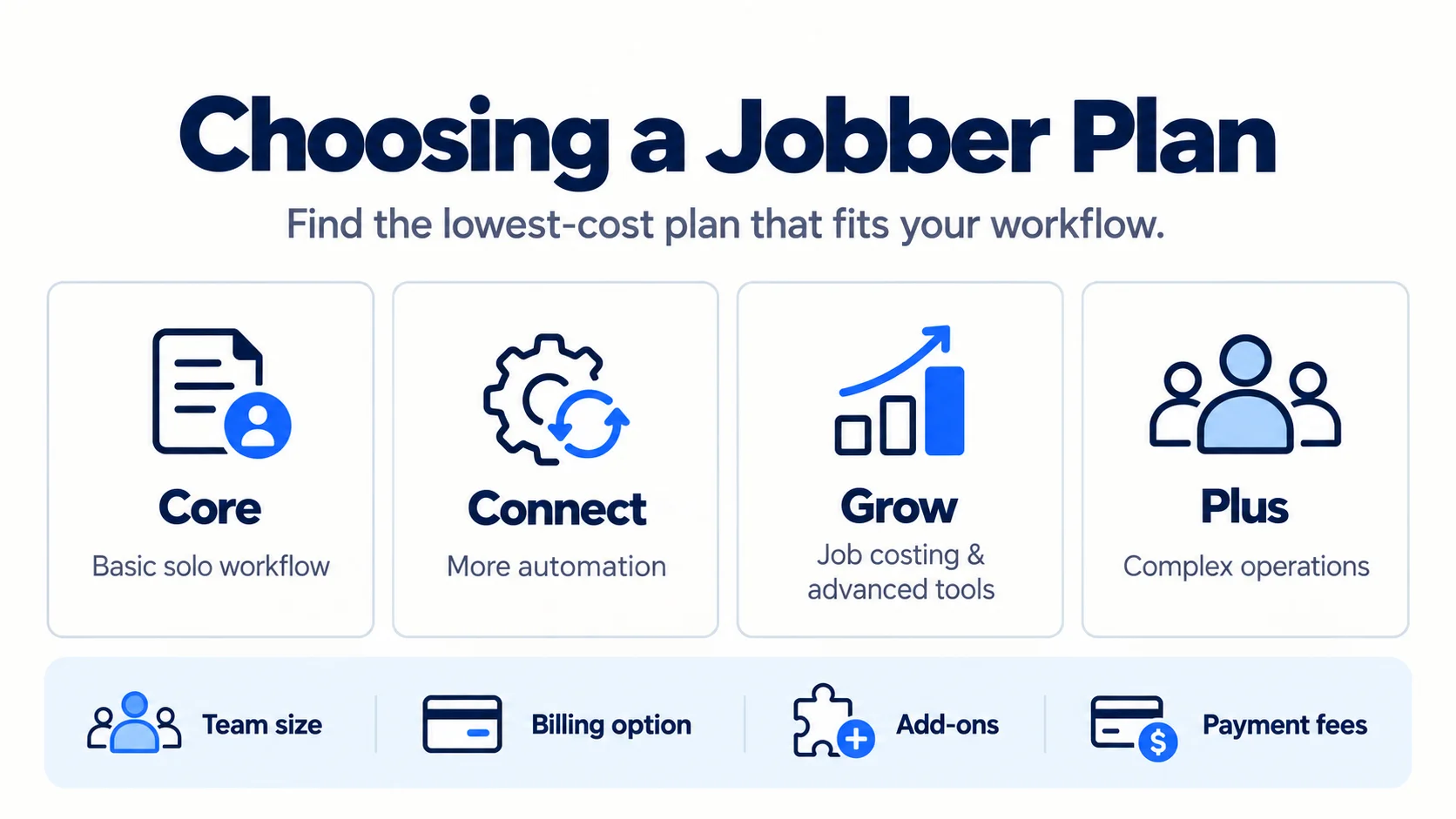
Jobber pricing currently starts at $49 per month with no commitment, or $29 per month equivalent when Core is prepaid annually, but the real cost depends on more than the headline plan price. Jobber has four main plan levels—Core, Connect, Grow, and Plus—and what you pay can also change with team size, billing arrangement, add-ons, payment processing, and applicable sales tax.
Pricing checked: September 9, 2026
At the time of this check, Jobber’s direct pricing configuration was showing its regular published rates rather than a temporary introductory promotion. Jobber offers three billing arrangements: flexible monthly billing with no commitment, monthly billing with a 12-month commitment, and an annual subscription paid upfront.
That distinction matters. A solo business looking at a $29 monthly-equivalent Core price and a five-person company considering Grow are not making the same purchase. The least expensive plan is only useful if it includes the functionality your business actually needs.
This guide focuses on that decision: what will Jobber actually cost for your setup, and what is the lowest-cost plan that supports your workflow?
Jobber Pricing at a Glance
The table below uses Jobber’s regular US pricing and the smallest published team configuration for each plan. Annual figures are shown as monthly equivalents, but the full annual amount is paid upfront.
| Plan | Base team configuration | No-commitment monthly | 1-year commitment | Annual prepaid | Best for | Main limitation |
| Core | 1 user | $49/mo | $39/mo, billed monthly for 12 months | $29/mo equivalent ($348/year prepaid) | Solo pros needing core CRM, scheduling, quoting, invoicing, and payments | No QuickBooks Online sync, automated follow-ups, checklists, or time/expense tracking |
| Connect | 1 user | $139/mo | $119/mo, billed monthly for 12 months | $99/mo equivalent ($1,188/year prepaid) | Solo pros or small teams needing automation and stronger job coordination | Job costing and more advanced automation still require Grow |
| Grow | 1 user | $199/mo | $169/mo, billed monthly for 12 months | $149/mo equivalent ($1,788/year prepaid) | Businesses needing job costing, advanced quoting, two-way SMS, and custom automations | Considerably more expensive if only one Grow-specific feature is needed |
| Plus | 5 users | $499/mo | $439/mo, billed monthly for 12 months | $399/mo equivalent ($4,788/year prepaid) | Larger teams needing advanced operations and bundled premium tools | Usually excessive for solo operators and very small crews |
Pricing and promotions can change. Home Service Fit verified these USD prices against Jobber’s official pricing information on September 9, 2026. Published subscription prices exclude applicable sales tax.
How Jobber Pricing Works
The simplest way to think about the actual Jobber cost is:
Plan + team size + billing option + optional costs = your real Jobber cost.
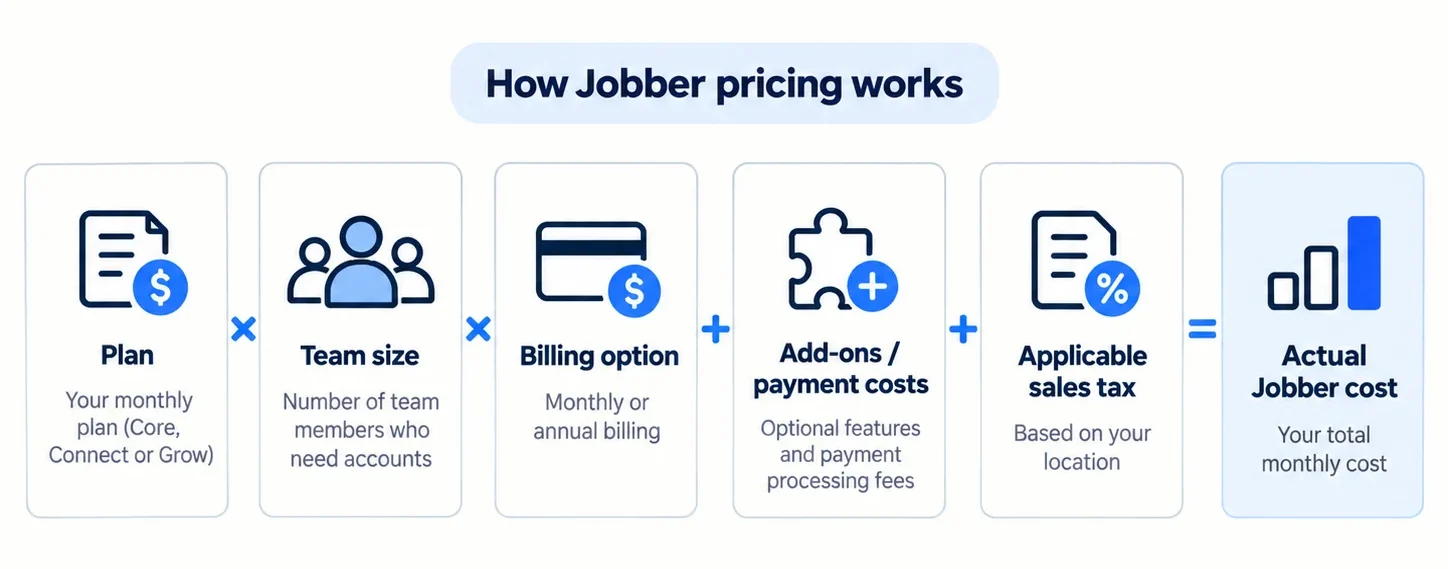
Choosing Core, Connect, Grow, or Plus is only the first decision. Connect and Grow have published configurations for 1, 5, 10, and 15 users, while Plus begins with five users and also has 10- and 15-user configurations. Larger or less standard setups can require contacting Jobber.
The billing arrangement then changes the subscription price again.
Monthly Billing Without a Commitment
This is Jobber’s most flexible option and currently the most expensive regular monthly rate.
For the smallest configurations, the current no-commitment prices are:
- Core: $49/month;
- Connect: $139/month;
- Grow: $199/month;
- Plus: $499/month for five users.
If you cancel a no-commitment monthly subscription, Jobber says the subscription remains available through the end of the current billing period and does not renew after that.
This arrangement makes sense when flexibility matters more than getting the lowest subscription rate.
Monthly Billing With a 1-Year Commitment
Jobber also lets businesses commit for 12 months while continuing to pay monthly.
That reduces the regular monthly rate to:
- Core: $39/month;
- Connect: $119/month for one user;
- Grow: $169/month for one user;
- Plus: $439/month for five users.
This is not ordinary month-to-month billing. Jobber’s current terms specify a 12-month minimum term. If you cancel before the end of that commitment, the subscription remains active and Jobber continues billing monthly until the 12-month term ends.
It can be a useful middle ground when you want a discount but would rather not pay the entire year upfront.
Annual Prepaid Billing
Annual prepaid billing currently gives the lowest regular monthly-equivalent price.
For the base configurations:
- Core: $29/month equivalent, or $348 for the year;
- Connect: $99/month equivalent, or $1,188 for the year;
- Grow: $149/month equivalent, or $1,788 for the year;
- Plus: $399/month equivalent, or $4,788 for the year.
The important word is equivalent. You are not charged $29 each month for annual Core, for example—the annual subscription is paid upfront.
Jobber states that annual prepaid subscriptions remain accessible until the end of the annual term if canceled, while the initial annual payment is non-refundable. Subscriptions renew automatically unless they are set not to renew according to Jobber’s terms.
Jobber Plans Explained
Price differences only make sense when tied to the capabilities they unlock.
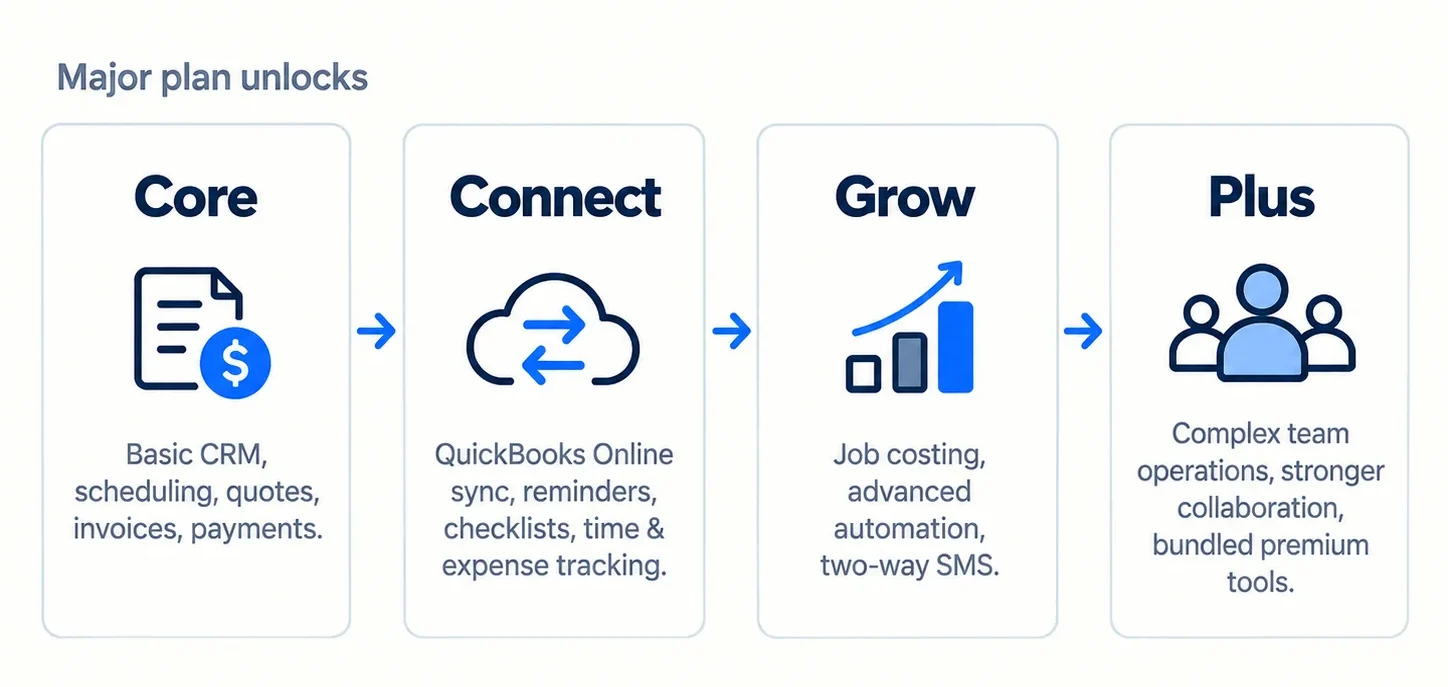
Jobber Core: Best for Solo Operators With Basic Business-Management Needs
Best for: A solo home-service professional who wants one place for basic client and job administration without paying for deeper automation.
Key capabilities: Core includes Jobber’s client management tools, scheduling, online booking, quotes, invoices, online payments, reporting, website functionality, and access to the app marketplace. Jobber currently publishes Core with a one-user base configuration.
Important limitations: Several functions that can become operationally important sit above Core. The current Connect upgrades include automated client reminders, automatic payments, job checklists, automated quote and invoice follow-ups, QuickBooks Online synchronization, and time and expense tracking.
Team-size/pricing implications: Core’s standard published base setup is one user at $49 month-to-month, $39/month with a 1-year commitment, or $29/month equivalent prepaid annually.
Upgrade when: A missing Connect feature would replace enough manual work to justify the jump. QuickBooks Online integration is a particularly clear trigger for businesses already using QuickBooks.
Verdict: Core is the logical Jobber starting point for many solo operators, but it is not automatically the right solo plan. If one business-critical workflow is gated behind Connect, buying Core simply because it is cheaper may be a false economy.
Jobber Connect: Best for Small Teams That Need Automation and Job Coordination
Best for: Businesses that need more workflow automation, job documentation, accounting connectivity, or team-related tools than Core provides.
Key capabilities: Connect adds automated customer reminders, automatic payments, checklists, automated quote and invoice follow-ups, QuickBooks Online synchronization, and time and expense tracking to the Core feature set.
Those upgrades can matter even to a solo owner. For example, a one-person company that depends on QuickBooks Online or wants automated invoice follow-up may have a stronger practical reason to choose Connect than another business with three employees but simpler processes.
Important limitations: Standard job costing, advanced quote capabilities, automatic time tracking, two-way SMS, and custom workflow automation sit at Grow or above.
Team-size/pricing implications: Connect currently offers published configurations for 1, 5, 10, and 15 users. Five users cost $199/month with no commitment, $169/month with a 1-year commitment, or $149/month equivalent when prepaid annually.
Upgrade when: Job profitability, more advanced quoting, two-way client texting, or custom automations become important enough to justify Grow.
Verdict: Connect is likely to be the practical baseline for many small teams, but its biggest value comes from the functionality it unlocks—not simply from having employees.
Jobber Grow: Best for Businesses That Need Job Costing and More Advanced Automation
Best for: Businesses that want to track profitability at the job level and need stronger quoting, sales, communication, or automation tools.
Key capabilities: Grow adds advanced quote customization, optional quote line items for upsells, automatic time tracking, job costing, two-way SMS, and custom workflow automations.
Job costing is one of the clearest upgrade triggers. Jobber’s current pricing places standard job costing at Grow and above, while Plus adds automated job-costing capabilities.
Important limitations: Grow is a major price jump from Core and still does not bundle everything included with Plus. If you only need one advanced feature, compare the value of that capability carefully rather than assuming that a broader feature set automatically pays for itself.
Team-size/pricing implications: Grow currently publishes 1-, 5-, 10-, and 15-user configurations. For five users, regular pricing is $299/month with no commitment, $259/month on a 1-year monthly commitment, or $229/month equivalent prepaid annually.
Upgrade when: Your operational requirements go beyond Grow’s job-level workflows and you can make meaningful use of Plus-specific collaboration, automated job costing, premium tools, onboarding, or support.
Verdict: Grow is the plan to examine first when job profitability or advanced automation becomes a real management requirement—even if the business is still owner-operated.
Jobber Plus: Best for Larger Teams Needing Advanced Operations and Included Premium Tools
Best for: More complex service businesses that need stronger operational controls and can use several of Jobber’s premium capabilities together.
Key capabilities: Plus includes Grow functionality and adds features such as centralized files and media, teammate mentions in job notes, automated job costing, Pipeline, Marketing Suite, Receptionist, dedicated onboarding, and Premium Support.
That matters because Pipeline, Marketing Suite, and Receptionist are products that lower Jobber plans can otherwise use as add-ons.
Important limitations: Plus begins at a much higher subscription level and a five-user configuration. More included functionality does not automatically make it better value for a business that will not use those tools.
Team-size/pricing implications: The five-user Plus configuration currently costs $499/month with no commitment, $439/month on a 1-year commitment, or $399/month equivalent when prepaid annually. Published 10- and 15-user configurations cost more.
Upgrade when: You need several Plus-specific capabilities together and the cost of your existing plan, team configuration, and required add-ons starts to justify evaluating the full Plus package.
Verdict: Plus is an operational tier, not a status upgrade. A solo handyman or very small crew will rarely need it unless a specific Plus capability creates a compelling reason.
Which Jobber Plan Should You Choose?

If You Work Solo
Start with the feature you cannot operate comfortably without.
Choose Core if client records, scheduling, quoting, invoicing, online payments, and basic reporting cover your needs.
Move to Connect if QuickBooks Online synchronization, automated reminders and follow-ups, checklists, or time and expense tracking are important.
Consider Grow only if job costing, two-way SMS, custom workflow automation, advanced quotes, or another Grow-specific capability is genuinely business-critical.
The mistake is assuming that “solo” always means Core. Jobber’s pricing tiers are based on functionality as well as team size.
If You Have a Small Team
For a crew, compare the team configuration, not the one-user headline price.
A five-user Connect setup currently costs $199/month without commitment, $169/month with a 12-month commitment, or $149/month equivalent prepaid annually. Five-user Grow is $299, $259, or $229 respectively. Plus begins with five users at $499, $439, or $399.
Connect may become the natural baseline when several people need shared scheduling, job documentation, time tracking, automations, and accounting synchronization.
But the cheapest appropriate tier still depends on the workflow.
If You Need to Track Job Profitability
This is one of the easiest Jobber plan decisions.
Current standard job costing requires Grow or Plus. Grow lets you use tracked labor, materials, and expenses to evaluate individual job profitability, while Plus adds automated job-costing functionality.
If job costing is the missing capability driving the purchase, compare Grow pricing for your actual team size before paying for Plus.
If You Need More Advanced Sales, Marketing, or Call Handling
This decision requires comparing complete configurations.
Jobber currently sells Marketing Suite, Pipeline, and Receptionist separately, while Plus includes these premium tools.
That does not mean Plus is automatically cheaper.
For example, comparing a $49 Pipeline add-on directly with a $399 annual-equivalent Plus price would be misleading. You first need to calculate the underlying Connect or Grow plan at the correct team size, then add every paid product you actually need, and only then compare that total with the appropriate Plus configuration.
Jobber Add-Ons and Other Extra Costs
Your Jobber subscription is not necessarily your full operating cost.
Extra charges can come from add-ons, payment processing, changes in team configuration, and sales tax.
Marketing Suite, Pipeline, and Receptionist
Jobber’s main pricing page currently lists:
| Add-on | Current standalone price | Main use |
| Marketing Suite | $99/month | Customer marketing, campaigns, reviews, referrals, social posting, Job Showcase, and marketing planning |
| Pipeline | $49/month | Managing sales opportunities from incoming lead through booked job |
| Receptionist | $29/month | AI-powered call/text handling, inquiries, lead capture, and booking support |
Jobber’s current pricing matrix shows these premium products as included with Plus, while they can be added to lower plans where available. Marketing Suite is documented as an add-on subscription, Pipeline is available with Plus or as an add-on, and Receptionist is included with Plus while being offered as an add-on on select lower plans.
A lower plan plus one add-on may make sense. A lower plan plus several add-ons may change the calculation. Always compare the complete subscription configuration rather than one add-on price in isolation.
Jobber Payments Fees
Jobber Payments processing charges are separate from your software subscription.
For US customers, the current published rates are:
- online credit/debit cards: 2.9% + $0.30 per transaction;
- Tap to Pay: 2.7% + $0.30 per transaction;
- bank payments (ACH): 1%;
- eligible Instant Payouts: an additional 1% fee on the payout.
These methods do not all carry the same fee structure, so a business processing significant payment volume should consider how customers typically pay.
There is no useful universal monthly processing-cost estimate because the answer depends on transaction value, payment method, and processing volume.
Team Size and Additional User Costs
Jobber should not be treated as having one universal “extra user = $X” rule.
The current pricing page uses team-size configurations.
For example, Connect currently moves from:
- 1 user: $139 / $119 / $99;
- 5 users: $199 / $169 / $149;
- 10 users: $299 / $259 / $229;
- 15 users: $399 / $339 / $299;
depending respectively on no commitment, a 1-year monthly commitment, or annual prepaid billing.
Grow and Plus use their own team-size price steps.
That means adding employees can materially change Jobber cost, but not according to one simple per-seat multiplier. Check the current configuration that matches the number of people who actually need access.
Sales Tax
Jobber states that its published subscription prices exclude sales tax where applicable.
The amount depends on the applicable tax rules, so it should be treated as a possible additional cost rather than estimated generically.
Does Jobber Offer a Free Trial or Free Plan?
Jobber currently offers a 14-day free trial, but it does not offer a permanent free plan.
No credit card is required to start the trial. Jobber’s current pricing FAQ says trial users get full access to the features on the Grow plan for 14 days.
That detail matters when evaluating the product.
If you use job costing, advanced quoting, two-way SMS, or custom automations during the trial and then subscribe to Core or Connect, some of the functionality you experienced will not be included in your paid plan.
Treat the trial as a way to evaluate Jobber, not as proof that the cheapest paid plan contains everything you used during those 14 days.
Is Jobber Worth the Cost?
Jobber can make sense financially when your business genuinely benefits from connecting several workflows in one system:
- client management;
- scheduling;
- quotes;
- invoices;
- payments;
- customer communication;
- job documentation;
- team coordination;
- automations;
- relevant integrations.
For a broader comparison of tools for solo operators and small crews, see our guide to the best handyman software.
The biggest pricing trade-off is feature gating. A business may be satisfied with nearly everything in Core or Connect but still need one capability—such as QuickBooks Online synchronization or job costing—that requires a significantly more expensive plan.
That does not necessarily make Jobber poor value. It does mean you should select a plan by your required workflow rather than by the number of features listed on the pricing page.
For a broader assessment of features, usability, limitations, and business fit, read our full Jobber review.
When Should You Consider a Jobber Alternative?
Jobber may not be the best fit when getting one important feature forces you into a plan that exceeds your budget, when the appropriate team-size configuration becomes too expensive, or when your business simply does not need this much field-service functionality.
It can also make sense to compare other platforms if you need a workflow that Jobber does not prioritize, want a simpler estimating-and-invoicing tool, or find that several required add-ons make the complete Jobber setup less attractive.
If estimating is your main bottleneck, compare dedicated handyman estimating software before paying for a broader field-service platform.
The point is not to switch because another product has a lower headline price. Compare the full workflow and actual cost of the configuration you would use.
If Housecall Pro is the main alternative you are considering, see our Jobber vs Housecall Pro comparison.
If those pricing or feature trade-offs are making you consider another platform, see our guide to the best Jobber alternatives.
FAQs
How Much Does Jobber Cost Per Month?
For the smallest standard configurations, regular Jobber pricing currently ranges from $49/month for one-user Core with no commitment to $499/month for five-user Plus with no commitment.
With a 1-year commitment, base configurations currently start at $39/month for Core. Annual prepaid Core works out to $29/month equivalent, but the annual amount is paid upfront.
The final price depends on plan, users, billing arrangement, add-ons, payment costs, and applicable sales tax.
How Much Is Jobber for 5 Users?
For five-user configurations, current regular prices are:
| Plan | No commitment | 1-year commitment | Annual prepaid |
| Connect — 5 users | $199/mo | $169/mo | $149/mo equivalent |
| Grow — 5 users | $299/mo | $259/mo | $229/mo equivalent |
| Plus — 5 users | $499/mo | $439/mo | $399/mo equivalent |
Core’s standard published configuration starts with one user, so do not estimate a five-user Core price by multiplying the one-user rate.
Does Jobber Charge Per User?
Not in the simple sense of charging one fixed amount for every additional user.
Jobber currently publishes different team-size configurations, including one-, five-, ten-, and fifteen-user options on Connect and Grow, while Plus begins with five users. Each configuration has its own price.
Use the current team-size selector instead of relying on older claims about a universal extra-user fee.
Do Jobber Add-Ons Cost Extra on Every Plan?
No.
Current availability and inclusion differ by product and plan. Marketing Suite, Pipeline, and Receptionist can be paid add-ons on qualifying lower plans, while Jobber currently includes all three as Plus differentiators.
This is why comparing add-on price alone with Plus pricing can be misleading.
Can You Cancel Jobber Anytime?
It depends on your billing arrangement.
- No-commitment monthly: You can cancel, retain access until the current billing period ends, and avoid another renewal.
- Monthly with a 1-year commitment: You can request cancellation, but the 12-month commitment remains in effect and monthly billing continues through the end of the term.
- Annual prepaid: You keep access through the annual term, but the upfront payment is non-refundable.
Check current subscription terms before committing, especially if flexibility is important.
Which Jobber Plan Includes QuickBooks Online?
Jobber’s current pricing places QuickBooks Online synchronization on Connect, Grow, and Plus, not Core.
For businesses where QuickBooks integration is a requirement, that can make Connect the practical minimum plan even for a solo operator.