

FieldPulse does not currently publish one simple monthly subscription price that every buyer can calculate without talking to sales. Its public pricing model is seat-based and customized around the team’s setup, with the final commitment potentially affected by seat access, package, premium products, implementation or migration, payment processing, and the written contract.
Home Service Fit will not present third-party estimates such as “about $90 per user” as official FieldPulse pricing. The more useful question is what FieldPulse publicly confirms, what remains quote-specific, and what must be locked down in writing before you sign.
Last updated: September 2026
Pricing, contract, payment, and implementation information last verified September 19, 2026.
FieldPulse Pricing at a Glance
| Pricing Element | What FieldPulse Publicly Confirms | What You Need to Confirm |
|---|---|---|
| Core Subscription | Seat-based, custom quote | Price per required seat type and complete first-year subscription |
| Seat Types | FieldPulse-owned 2026 materials distinguish full-access and field-only seats with different pricing | Exact written rate for each seat type |
| Packages | Current FieldPulse-owned materials still reference Essentials, Professional, and Enterprise | Which package appears on your current quote and exact included capabilities |
| Premium Products | Optional products can sit outside the core platform | Which are included, extra, per-seat, per-line, usage-based, or otherwise priced |
| Implementation / Migration | Self-service and support-assisted imports exist; broader migration can be a paid scoped service | Migration fee, included data, exclusions, training, and onboarding |
| Payment Processing | Separate standard merchant-processing rates apply unless custom pricing supersedes them | Your actual merchant agreement and any custom processing rates |
| Contract | Standard Terms currently use a one-year initial subscription term | Exact term on your order form and billing cadence |
| Renewal | Automatic renewal; current standard Terms require 60 days’ written non-renewal notice | Exact renewal date and how year-two pricing will be communicated |
| Trial / Demo | Current public Pricing page directs buyers to a demo/custom quote and does not advertise a self-serve free trial | Whether sales offers any account-specific evaluation period |
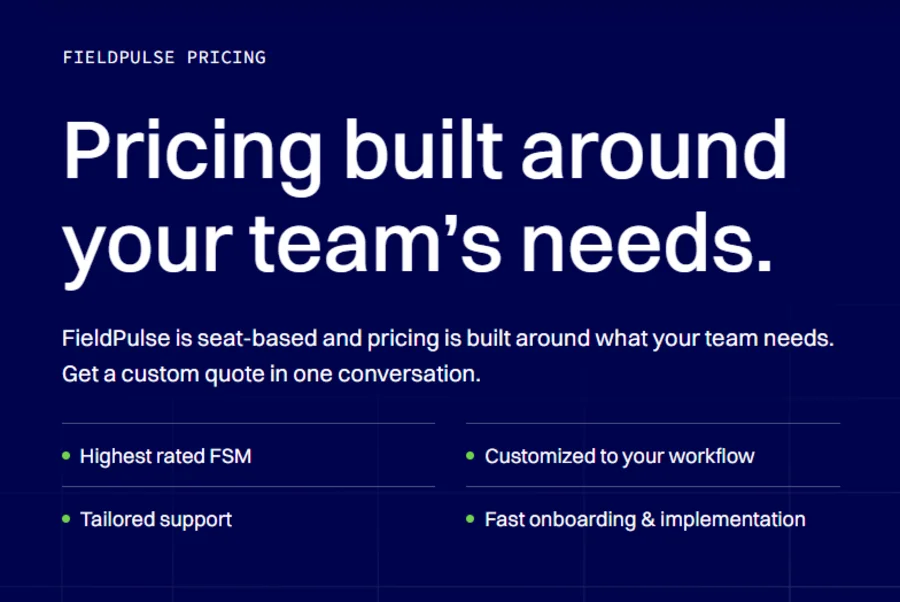
FieldPulse’s current pricing page explicitly says pricing is built around team needs and that seats are purchased for the contract term. Its public page also lists optional premium products including Engage, Operator AI, Chat AI, Pricebook, FieldPulse Payments, FieldPulse Financing, Fleet Tracking, and Custom Forms.
How Does FieldPulse Pricing Work?
Your Quote Starts With the Seat Mix
FieldPulse pricing is not determined by total employee count alone.
A seven-person service company could have:
- two owners, dispatchers, or office staff who need broader access;
- five technicians who primarily need field-facing access.
That can be a very different quote from seven people who all need full platform access.
FieldPulse-owned 2026 material distinguishes full-access seats from field-only seats and says they are priced differently. The current main pricing page also says the seat rate depends on what each seat needs access to.
So before asking “What does FieldPulse cost for seven employees?”, ask:
Who genuinely needs full access?
Full-Access and Field-Only Seats Are Different
Do not assume every employee belongs on the same seat type.
Ask FieldPulse to state separately, in writing:
- the price of one full-access seat;
- the price of one field-only seat;
- which features/access rights each type receives;
- whether seat conversions are possible during the term.
Home Service Fit does not publish a universal rate for either seat because FieldPulse does not currently publish one as its standard public price.
Package and Premium Products Change the Quote
Headcount is only one input.
The same seat mix can produce a different total depending on:
- package;
- Engage;
- Operator AI or Chat AI;
- Fleet Tracking;
- Pricebook;
- Custom Forms;
- Payments or Financing;
- other premium capabilities.
The current pricing page explicitly describes those premium capabilities as optional and says different products can have their own pricing models. Engage, for example, is currently described as using line- and license-based pricing, not simply the same seat price as the core subscription.
So FieldPulse pricing is better understood as configuration-based pricing, not merely per-employee pricing.

FieldPulse Plans: Essentials vs Professional vs Enterprise
FieldPulse’s primary Pricing page is currently quote-led and does not expose a traditional public package grid. However, current FieldPulse-owned 2026 content still describes three package levels: Essentials, Professional, and Enterprise.
| Package | Public Price | General Role | What to Verify |
|---|---|---|---|
| Essentials | Request quote | Core field-service operations | Exact included workflow, seats, and premium-product exclusions |
| Professional | Request quote | More advanced workflows, projects, and accounting/integration needs | Which advanced features are actually included in your current quote |
| Enterprise | Request quote | Multi-location, API, and more complex operations | Scope, implementation, access model, and custom requirements |
Current FieldPulse-owned descriptions frame Essentials around core field-service tools, Professional around more advanced workflow/project/accounting needs, and Enterprise around multi-location/API requirements.
Because the live primary pricing experience is heavily customized, use the package name and feature list on your actual written quote as the authority for your purchase. Do not assume an older plan matrix precisely matches today’s order form.
What Would FieldPulse Cost for Your Team?
Because FieldPulse does not currently publish universal seat rates, realistic examples should use seat configurations, not invented totals.
Solo / Owner-Operator
A solo operator might need:
- 1 full-access seat;
- the required package;
- only the premium products actually needed.
The key buying question is:
Does the workflow value justify the complete quoted annual commitment for a one-person business?
A custom-configured FSM can offer more operational depth than a solo owner needs, so compare the full quote—not a third-party estimated “per-user” number.
Small 5-Person Service Team
A realistic five-person company might have:
- owner/manager — full access;
- dispatcher/admin — full access;
- three field technicians — potentially field-only.
Ask FieldPulse to quote:
2 full-access + 3 field-only
and, if operationally realistic, also show what:
5 full-access
would cost.
That comparison tells you whether your internal permission/access model materially changes the economics.
Growing 10-Person Team
Use the same method.
Do not ask only:
“How much is FieldPulse for 10 employees?”
Ask:
“How many of those 10 need each seat type, which package do we require, and what paid products sit outside it?”
This becomes increasingly important as the business adds technicians, managers, dispatchers, vehicles, communications, or specialty workflows.
Costs Beyond the Core FieldPulse Subscription
Premium Products
FieldPulse currently positions several products alongside its core platform, including Engage, Operator AI, Chat AI, Pricebook, Payments, Financing, Fleet Tracking, and Custom Forms.
For every relevant product, ask:
- Is it included or extra?
- What is the pricing unit?
- Is it recurring or usage-based?
- Are there minimum quantities or licenses?
- Does adding it change the contract value or renewal?
Do not assume all FieldPulse add-ons use the same seat-based model.
Implementation and Data Migration
FieldPulse’s current Customer Success Agreement separates basic imports from broader migration work.
The base subscription currently includes self-service customer and line-item import tools. Additional templates can be handled through support-assisted imports, including customer contacts, locations, jobs, settings, inventory, custom fields, Pricebook data, and assets.
Broader data migration is a paid, scoped service. FieldPulse says the migration contract should define mapping and associated costs. Its current documentation also warns that files, attachments, and images are generally not supported for migration.
So ask:
- What imports are included?
- What migration work costs extra?
- Which historical records will migrate?
- Are files, photos, or attachments excluded?
- Is data cleanup your responsibility?
- What training/onboarding applies to your full-user count?
Current onboarding documentation also changes with the number of full users: one full user follows a self-serve model; two receive limited guided onboarding; 3–9 receive a dedicated implementation specialist with a 30-day onboarding window; larger implementations use a more structured process.
FieldPulse Payments
FieldPulse Payments adds a separate merchant-cost layer.
The current standard Payment Processing Agreement lists:
- card volume — 3.00%;
- ACH volume — 1.00%;
- card/ACH transaction — $0.25;
- refund — $0.25;
- chargeback, ACH return, or dispute — $25;
- monthly access — $9;
- next-day funding — 0.50% of volume.
It also lists smaller fees such as account updater and deposit fees.
These are current standard rates, not a permanent guarantee.
The agreement says custom merchant pricing can supersede them and that FieldPulse can change processing fees with notice.
So use your actual merchant agreement—not a pricing-guide screenshot—as the final authority.
Engage Phone and SMS Activation
If Engage is part of the intended setup, cost is not the only consideration.
Current FieldPulse onboarding documentation says:
- phone-number porting can take up to 30 days;
- 10DLC SMS campaign approval can take approximately 2–6 weeks;
- outbound SMS remains unavailable until campaign approval.
FieldPulse handles parts of that setup, but the business still needs to provide required information.
For new Twilio API-based A2P 10DLC campaign registrations, valid public Privacy Policy and Terms & Conditions URLs have been required since June 30, 2026.
Ask during the sales/onboarding process:
What business information, website policies, porting paperwork, and 10DLC materials will you need from us before Engage is operational?
FieldPulse Contract & Quote Audit Before You Sign
This is where FieldPulse pricing deserves more diligence than simply comparing a monthly-looking number.
Confirm the Contract Term and Billing Schedule Separately
FieldPulse’s current standard Terms state that the initial subscription term is one year, unless the agreement says otherwise. They also say the customer remains responsible for the contract value for the full term and generally cannot terminate early for convenience.
But:
one-year contract ≠ automatically one annual upfront payment.
The current Terms explicitly allow additional-seat charges to follow the customer’s applicable billing frequency, whether monthly, annually, or otherwise.
Get both in writing:
- contract/commitment period;
- billing cadence.
Mark the Non-Renewal Deadline Before You Sign
Current standard Terms automatically renew the subscription for another one-year term unless written non-renewal notice is provided 60 days before the term ends.
Do not plan to “deal with renewal in the final month.”
Ask FieldPulse for the exact calendar date by which notice must arrive, then put that date on the business calendar when you sign.
Ask When Year-Two Pricing Will Be Disclosed
The current Terms also allow renewal fees to increase with 60 days’ written notice.
Because the standard non-renewal deadline is also 60 days, do not assume you’ll automatically receive future pricing early enough for a comfortable decision window.
Ask before signing:
How and when will year-two pricing be communicated relative to our non-renewal deadline?
If the answer matters to your purchase, get the relevant commitment in the order form or agreement.
Review the First Invoice Immediately
Current Terms require invoice/charge disputes to be submitted in writing within 30 days of the invoice date. Failure to dispute within that period is treated as acceptance of the charge.
When the first invoice arrives, verify:
- number of seats;
- seat types;
- package;
- premium products;
- implementation/migration;
- taxes;
- billing cadence;
- payment terms.
Do not wait several billing cycles to investigate a discrepancy.
Ask How Seat Reductions Work, Not Just Seat Additions
FieldPulse publicly explains that seats can be added as teams grow, but a seasonal business should also understand the reverse.
Ask:
- Can we reduce seats during the term?
- If not, when can committed seat count change?
- Can a full-access seat become field-only?
- What happens if an employee leaves?
- Is the unused seat still part of the committed contract value?
Do not assume the answers if they are not stated on the order form or governing agreement.
Put Material Sales Promises Into the Agreement
FieldPulse’s current Terms contain an Entire Agreement / No Reliance clause stating that the written agreement supersedes prior proposals or communications and that the customer is not relying on promises not expressly included in the agreement.
That makes documentation important.
If a sales promise materially changes:
- price;
- included functionality;
- implementation;
- migration;
- support;
- renewal;
- billing;
ask for it to appear on the order form or agreement.
A demo conversation is not the same thing as a written commercial commitment.
Do Not Assume “Click to Cancel” Overrides the Contract
Do not assume general online cancellation guidance overrides a signed FieldPulse order form or subscription agreement.
Review the contract you actually sign. If enforceability or termination rights become a genuine dispute, that is a legal question rather than a software-pricing question.

How to Get a Useful FieldPulse Quote
A good sales call starts before the demo.
Prepare:
- total employee count;
- expected full-access seats;
- expected field-only seats;
- must-have workflows;
- accounting requirements;
- premium products;
- number of vehicles, if relevant;
- estimated payment volume;
- migration requirements;
- phone/SMS needs;
- expected growth or seasonal staffing.
Then ask for one written quote/order form that reflects the whole configuration, rather than collecting prices verbally across several calls.
Questions to Ask Before Signing
Ask:
- What is the written rate for each seat type?
- Which package are we buying?
- Which required features need another package?
- Which premium products cost extra?
- What is the implementation or migration cost?
- Which records/files will not migrate?
- What payment-processing agreement applies?
- What is the billing cadence?
- What is the exact subscription end date?
- What is our exact non-renewal deadline?
- When and how can renewal pricing change?
- Can seats be reduced or converted during the term?
- What happens commercially when an employee leaves?
- What Engage/10DLC setup is required?
- Which material sales commitments appear on the order form?
If it materially changes total cost, implementation risk, or what your team receives, get it in writing.
FieldPulse Pricing vs Jobber and Housecall Pro
The biggest pricing difference is transparency and structure—not a universal winner.
FieldPulse currently uses a custom, seat-based quote where access type, configuration, premium products, and the written contract affect the final commitment.
Jobber publishes standard plan prices and user allowances, with multiple billing options visible before purchase.
Housecall Pro also publishes general US plan prices and included-user counts for Basic, Essentials, and MAX.
That does not make Jobber or Housecall Pro automatically cheaper.
It means FieldPulse requires more pre-purchase diligence, because the buyer cannot reconstruct the complete subscription commitment from the public pricing page alone.
For detailed pricing breakdowns of the two publicly priced alternatives, see our Jobber pricing guide and Housecall Pro pricing guide.
Is FieldPulse Worth the Price for a Small Home-Service Business?
There is no useful universal answer because FieldPulse does not have one universal public price.
The more involved buying process may be justified for a business that genuinely needs:
- mixed office and field access;
- customizable workflows;
- project management;
- deeper job costing;
- inventory;
- integrations;
- fleet or asset tools;
- growing operational complexity.
For a very small owner-operator, the decision deserves extra scrutiny.
Compare:
workflow value + complete quoted commitment + implementation effort + contract flexibility
against a simpler, publicly priced system.
The important point is not whether a third-party pricing blog estimates FieldPulse at $65, $90, or $115 per seat.
It is whether your written FieldPulse configuration solves enough operational problems to justify the first-year commitment and its renewal terms.
If you are still comparing broader options, see our handyman software guide for other platforms built for small home-service businesses.
FAQs
How Much Does FieldPulse Cost Per Month?
FieldPulse does not currently publish one universal monthly core subscription rate.
Its current public pricing is custom and seat-based, with cost depending on team setup, seat access, and potentially package and premium products.
Do not treat third-party per-user estimates as official FieldPulse pricing.
Does FieldPulse Charge Per User?
FieldPulse describes its model as seat-based.
Current FieldPulse-owned materials distinguish full-access and field-only seats and say they are priced differently.
Ask for the written rate and permissions for each seat type rather than assuming all employees cost the same amount.
Does FieldPulse Require a Contract?
Current standard FieldPulse Terms use a one-year initial subscription term unless the agreement states otherwise.
They also provide for automatic one-year renewals and currently require written non-renewal notice 60 days before the end of the applicable term.
Check your actual order form because account-specific terms can differ.
Does FieldPulse Offer a Free Trial?
FieldPulse’s current public Pricing page does not advertise a self-serve free trial. It directs prospective buyers to request a custom quote and schedule a demo.
Older FieldPulse or third-party pages may describe historical trial offers, so recheck the live pricing page immediately before purchase.
What Does FieldPulse Charge for Payment Processing?
Current standard FieldPulse Payments rates include 3.00% card volume, 1.00% ACH, $0.25 per card/ACH transaction, a $9 monthly access fee, and a $25 chargeback/ACH-return/dispute fee. Optional next-day funding currently adds 0.50% of volume.
Custom merchant pricing can replace those standard rates, and FieldPulse’s agreement permits future processing-rate changes with notice.